

TL;DR
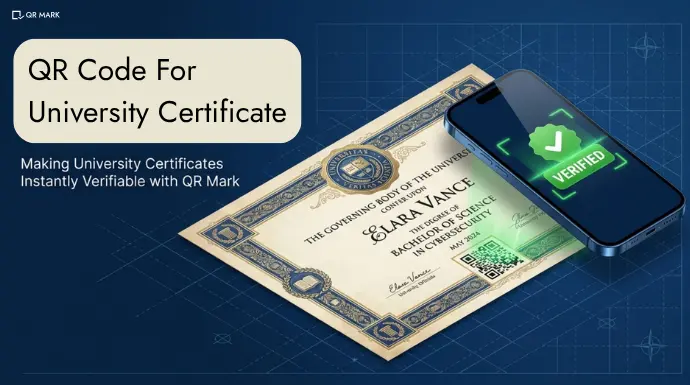
QR Code enabled certificates allow instant verification by linking to a secure university page when scanned.
This eliminates manual checks, reduces fraud, and builds trust at scale. With QR Mark, every certificate
carries a real-time verification layer—making authenticity easy to confirm and fake degrees harder to pass off.
Universities have always tried to make their certificates “authentic.” They use embossed seals, Holograms, Special paper, Watermarks, and now Digital Signatures. Each layer is designed to signal one thing: this document is real.
And for a long time, that was enough. But today, those signals are easy to replicate or simply ignored.
A well-designed fake certificate can carry a convincing seal, a copied signature, even a near-perfect hologram. To the naked eye, it passes.
And when someone wants to verify it, the process still depends on emails, phone calls, and manual record checks.
That creates a gap. Not just a document fraud problem — a verification problem.
Because no matter how secure the physical certificate looks, the university has no way to:
- Prove authenticity instantly
- Control how verification happens
- Ensure the truth comes directly from its own records
This is where traditional methods fall short. They make documents look authentic but they don’t make them verifiable.
A QR Code for university certificates changes that. When implemented correctly, it turns every degree into a self-verifiable document — no call, no email, no weeks of waiting.
In this article, you will learn:
- What is a QR Code for University Certificate?
- What Should a QR Code on Degree Certificate Actually Do?
- How can you use QR Mark to embed QR Code on University Certificate?
What Is a QR Code for University Certificate?
| A QR Code for a university certificate is a machine-readable code image embedded directly on a certificate issued by the university. |
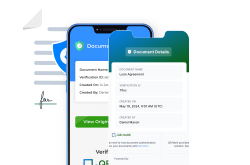
To make this concrete, consider how this works at MIT. When a graduate receives their degree certificate, the document carries a QR Code in the bottom corner. Anyone scanning it with their phone camera can scan and see the details on the verification page and verify them.
In a recent case, over 7,600 fraudulent nursing degrees were sold by a Florida-based diploma mill, worth approximately $114 million.
Incidents like this don’t happen because universities are careless. They happen because verification is still manual, slow, and disconnected from the document itself.
A QR Code on a university certificate solves this bottleneck. When linked to a verification page hosted on the institution’s own domain, it lets anyone confirm a degree’s authenticity in seconds, without contacting the university at all.
“Degree fraud doesn’t happen because universities are careless. It happens because verification has historically been manual, slow, and disconnected from the document itself. QR Mark was built to change that. We give universities a way to attach a live verification layer to every certificate controlled by their own records. The moment a degree is scanned, the truth comes directly from the institution. That shift from paper-based trust to instant, source-level validation is what actually deters fraud at scale.”
— Gautam Garg, CEO, QR Mark
What Should a QR Code For Degree Certificate Actually Do?
A QR Code for degree certificate should enable secure, instant, and reliable verification directly from the issuing institution.
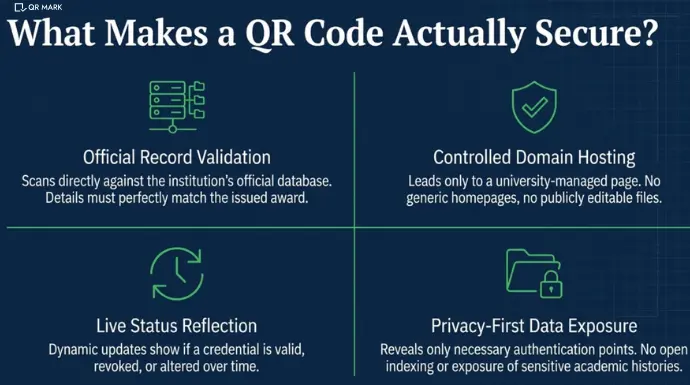
In practice, a properly implemented QR Code based document verification system should do four things:
1. Confirm the credential against the university’s official record
When scanned, the QR Code should validate that the certificate exists in the institution’s database and that the details match what was issued — student name, qualification, date of award, and issuing authority.
2. Connect to a secure, controlled verification page
The QR Code should lead to a verification page managed by the university or its authorized system — ideally hosted on the institution’s own domain. It should not redirect to a generic homepage or a publicly editable file.
3. Reflect the current status of the certificate
The system should indicate whether the credential is valid, revoked, or updated. If a certificate ID is misused or a document is altered, the verification result should flag the discrepancy instead of showing static information.
4. Limit data exposure while enabling verification
The QR Code should reveal only the information required to confirm authenticity — such as name, degree, and certificate ID while keeping sensitive data protected. Records should not be openly searchable or indexed.
These capabilities define what a secure QR Code based verification system should do. But how do they actually help prevent fake university certificates in real-world scenarios?
How Does a QR Code Help Prevent Fake University Certificates?
A QR Code on a university certificate doesn’t prevent fraud by making the document impossible to copy. It prevents fraud by making verification instant, source-controlled, and easy to validate.
Here’s how that works in practice:
1. Verification comes directly from the institution
When scanned, the QR Code takes the verifier to a page hosted on the university’s own domain. This ensures that the information shown comes directly from the issuing authority not from the document itself.
2. Mismatches expose tampering instantly
If a certificate is altered whether it’s the name, degree, or date, the details on the verification page will not match the document.
3. Fake certificates cannot replicate the source
A fraudster can copy a certificate design or even generate a QR Code. But they cannot make it resolve to a verification page hosted on the university’s official domain.
4. Manual verification gaps are eliminated
Traditional verification relies on emails, phone calls, or third-party checks all of which introduce delays and failure points. With a QR-based system, verification happens instantly through a simple scan.
QR Mark implements this by allowing universities to attach a live verification layer to every certificate connected to their own records and accessible in seconds.
How to Create a QR Code for a University Certificate using QR Mark(Step-by-Step Process)
Here is the step-by-step process for using QR Mark in universities, from account setup to bulk certificate issuance.
Step 1: Create a QR Mark Account
Start with a free QR Mark account at app.qrmark.com. The free Starter plan gives you three verifications per month, which is enough to test the full workflow before committing to a production rollout.
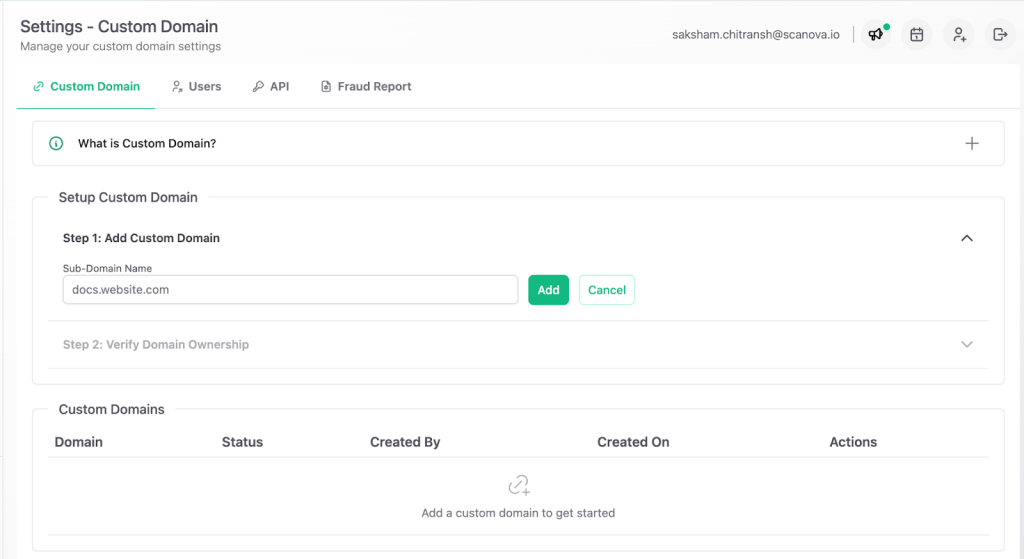
Step 2: Set Up Your Custom Verification Domain
This is the most important step. Before issuing any live verifications, the university’s IT team needs to configure a custom domain. The typical subdomain format is verify.youruniversity.edu or certificates.youruniversity.edu.
QR Mark walks you through the DNS configuration. Your IT team adds a CNAME record pointing your chosen subdomain to QR Mark’s verification infrastructure, plus a TXT record for ownership verification. Once done, all verification pages for your institution will be served from your domain.
This step is what separates a real verification system from a cosmetic one. The domain is the trust anchor.
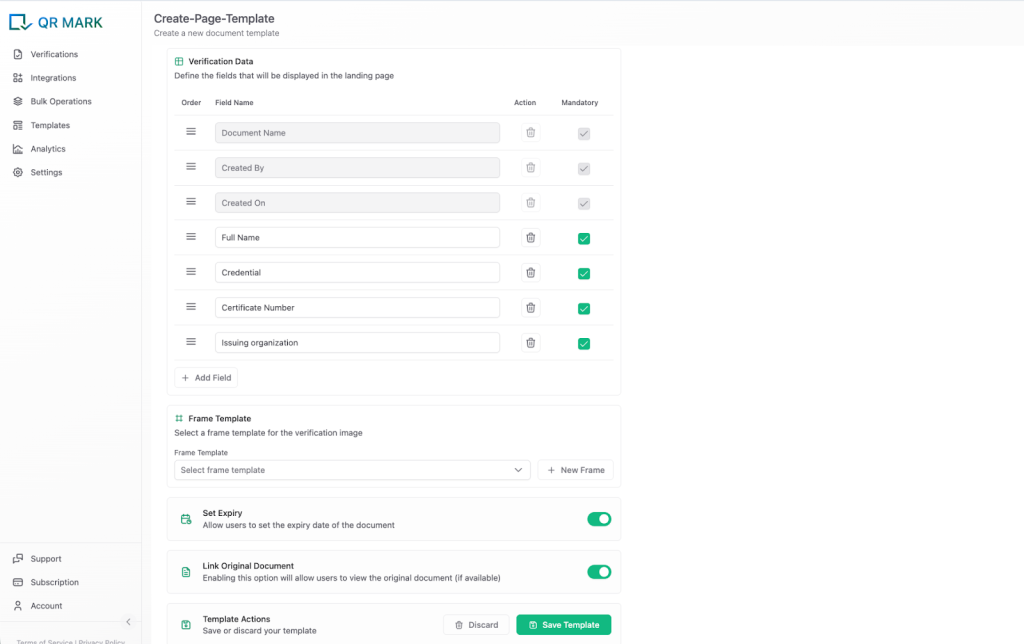
Step 3: Build Your Certificate Verification Template
QR Mark’s template system lets you define exactly which fields appear on the verification page. For a degree certificate, configure the template to show the fields listed in the previous section: student name, student ID, degree name, graduation year, CGPA, certificate ID.
You can also configure whether the original certificate document is linked on the verification page. For most universities, template-based fields only (no original document link) is the right default. It confirms authenticity without requiring the institution to host sensitive academic records publicly.
Step 4: Upload Certificates in Bulk
For end-of-term or graduation batch issuance, QR Mark’s bulk dashboard is the right tool. You upload multiple PDFs in one go, select the placement position for the verification image once, and QR Mark generates a unique verification image for each certificate.
Each certificate gets its own verification record linked to a unique URL. Scanning one certificate’s QR Code will never pull up another student’s record.
- Prepare your certificate PDFs (one per student)
- Upload the batch to the QR Mark bulk dashboard
- Set the placement position for the verification image (bottom-right is typical for certificates)
- Fill in the verification fields for each certificate — student name, degree, ID, etc.
- Generate all verification images in one operation
- Download the completed certificates with verification images embedded
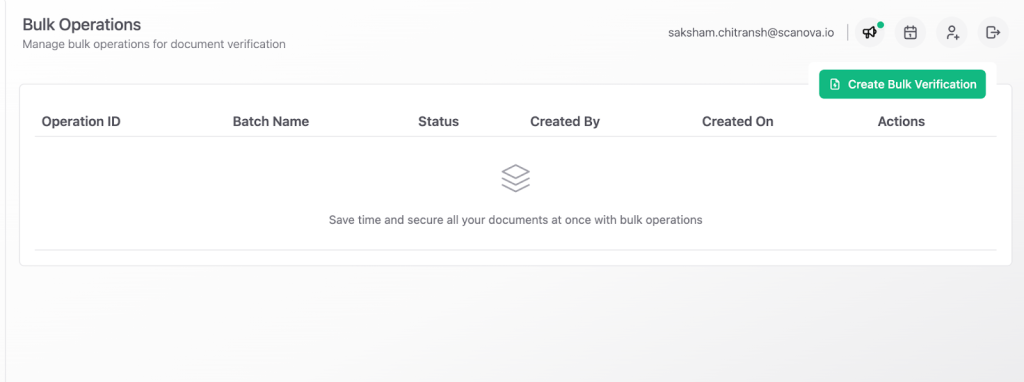
For institutions with large students, QR Mark’s API allows this process to be fully automated. Your student information system generates the certificate data, the API creates the verification records, and the completed certificates are returned programmatically. Read Documentation.
Step 5: Verify the Workflow Before Distribution
Before sending certificates to graduates, scan one with your phone camera and walk through the verification page. Confirm that:
- The URL in the browser shows your institution’s custom domain
- All verification fields match what is printed on the certificate
- The certificate status shows as valid
If anything is wrong, this is the time to fix it. Once certificates are distributed, verification records should not be changed.
Step 6: Train Staff and Communicate to Graduates
Tell graduates that their certificate carries a QR Mark verification image and explain what it does. Tell them that employers and institutions can scan it to confirm authenticity. The more verifiers know to expect a scannable QR Code on genuine certificates, the harder it becomes to pass off a fake one without it.
QR Mark vs. Traditional Methods: Which is a better choice for University Certificates?
| Parameter | QR Mark | Traditional Methods |
| Scalability | Instant, handles bulk issuance easily | Slows down as volume increases |
| Workflow Integration | Integrates with ERP & digital systems | Manual, fragmented processes |
| Security | Encrypted, tamper- resistant, real-time validation | Prone to forgery and duplication |
| Branding | Custom QR + branded verification page | Limited to print design |
| Verification | Instant scan via smartphone | Manual, time-consuming |
Why Is Degree Fraud Still Growing and What Actually Stops It?
Degree fraud is not declining. As hiring becomes more global and more remote, the opportunity for falsified credentials to go undetected grows. Manual verification by phone and email does not scale. Background verification firms add cost and time. And the fraudsters producing fake certificates have become good at making documents that pass visual inspection.
For universities, the answer is not a more elaborate certificate design. It is a verification layer that can be checked by anyone, anywhere, in seconds. A QR Code that links to a hosted verification page on the institution’s own domain is exactly that.
QR Mark is built specifically for this use case. It handles the full workflow: template design, bulk issuance for graduation cohorts, custom domain setup, and the verification experience that employers and BGV firms actually use.
Frequently Asked Questions
Do recipients need a special app to scan a QR Mark verification code?
No. The QR Code on a QR Mark-secured certificate works with any standard smartphone camera. The verifier does not need to download an app or create an account. They scan the code and the verification page opens in their browser.
What happens if someone copies the QR Code from a genuine certificate and pastes it onto a fake one?
The verification page will still show the genuine certificate’s details. If the verifier compares those details against the fake document, they will find a mismatch – a different name, a different ID, or a different degree. That mismatch is how the fraud is caught. Verifiers must always check the fields against the document in front of them, not just confirm the page opens.
Can a university control what information appears on the verification page?
Yes. QR Mark’s template system lets the institution choose exactly which fields appear. A university can show student name, degree, graduation year, and certificate ID without exposing CGPA or other sensitive academic details. The institution decides what is visible.
Can QR Codes be used for digital certificates as well as printed ones?
Yes. QR Codes work for both printed and digital certificates. In digital PDFs, the QR Code is typically clickable, allowing users to open the verification page directly without scanning.
