

TL;DR
- Traditional document protections like passwords, PDFs, and signatures fail once a document is shared and can’t reliably prove authenticity.
- QR Code for document verification attaches proof directly to the document, making authenticity checkable anywhere.
- Each document gets a unique QR Code that confirms who issued it and whether it was altered.
- Anyone can scan the QR Code to verify a document instantly, with no emails, logins, or manual checks.
- QR-based verification reduces fraud, saves time, and ensures trust travels with the document.
Businesses use many ways to protect documents. These include passwords, PDFs, and signatures. But most of these methods fail once a document is shared.
In fact, a research found that 58% of organizations have faced document fraud. Digital files are easy to copy, edit, and reuse. This makes fake or altered documents hard to spot.
As a result, teams spend time on manual checks, emails, and follow-ups.
That is why document security is changing.
Instead of only controlling access, organizations now focus on verification. They want proof that a document is real and unchanged—even after it leaves their system.
In this guide, you will learn:
- What QR code document verification is
- Why older methods fail
- How businesses use QR codes to protect trust
What is a QR Code for document verification?
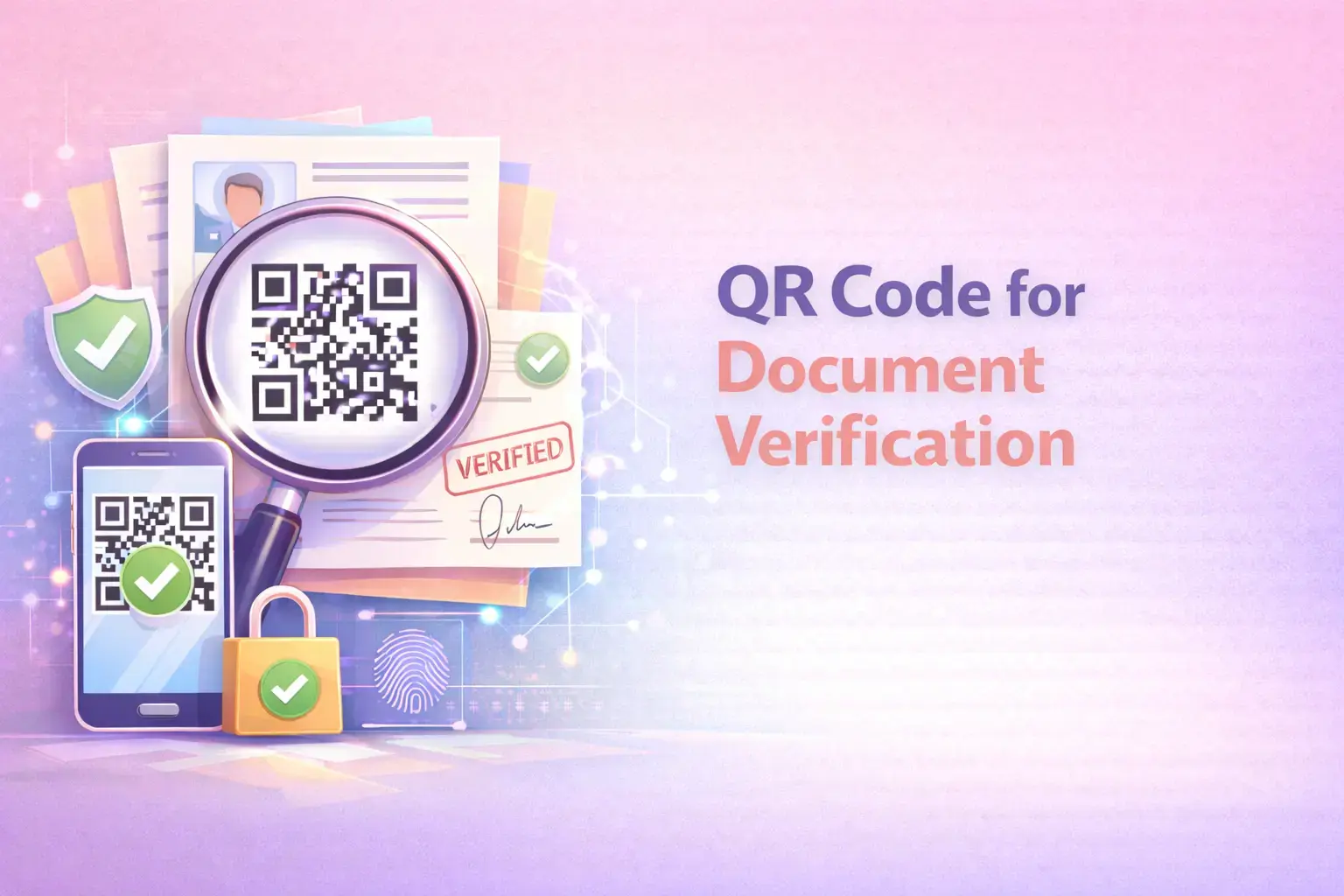
A QR code for document verification is a unique QR Code placed on a document. Each QR Code is unique for each document. It connects to verification data stored by the issuer.
When someone scans the QR Code, the system checks key details. It confirms who issued the document. It verifies whether the document is real. It also checks whether the content was changed after issuance.
This process takes seconds. It does not require emails or phone calls. It does not depend on manual checks.
This is known as QR code document authentication. It supports document validation. Thus, helping create a secure document that can be trusted anywhere it goes.
What are the methods of document verification?
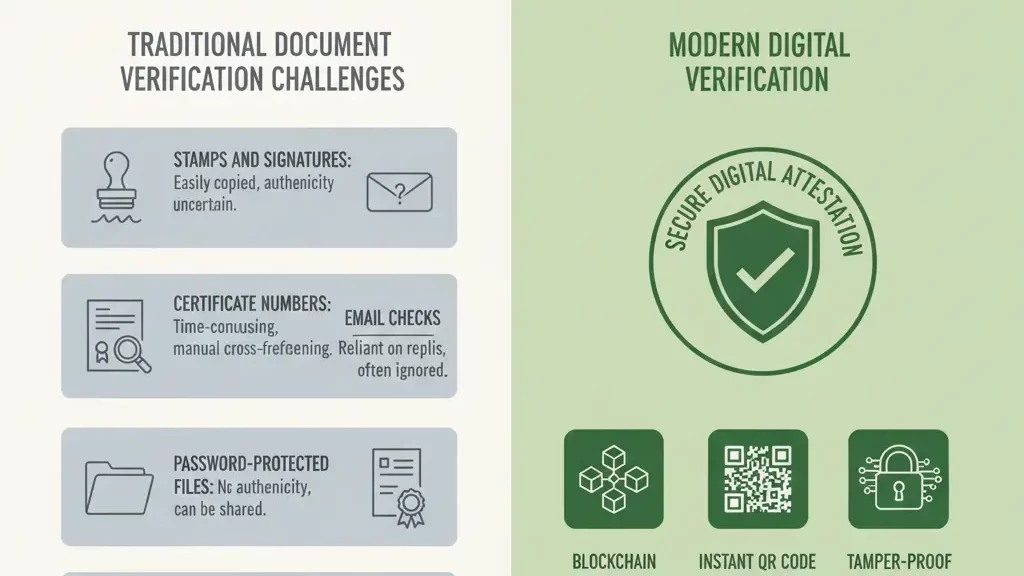
Before QR Codes, most organizations checked documents by hand or with basic tools. These methods worked in small cases. They failed when people shared documents across teams, systems, or countries.
Here are some common ways people still check documents today:
Stamps and signatures
Organizations use stamps or signatures to approve documents. Anyone can copy stamps or fake signatures. People cannot be sure a document is real this way.
Certificate numbers
Organizations add numbers to certificates and check them against records. This takes time and often needs emails or phone calls.
Password-protected files
Passwords control who can open a file. They do not prove that the document is real or unchanged. If someone shares the password, anyone can open the file.
Email checks
People send emails to ask if a document is valid. This depends on someone replying. Many emails get no response.
Watermarks or seals
Watermarks show who owns a document. They do not prove the document is real. Anyone can copy them.
Login-based websites
Some organizations use websites that need logins to verify documents. These add extra steps. Many users forget passwords or stop the process.
Why do other methods fail compared to QR codes?
Most document security methods stop working after a document leaves your system. At that point, control and trust start to break down.
Here is what usually goes wrong:
PDFs can be edited without detection.
Anyone can change text, numbers, or names using simple tools. The document still looks real, even after someone edits it.
Passwords only control access, not authenticity.
A password decides who can open a file. It does not prove who created the document or whether someone changed it later.
Signatures are easy to copy or forge.
People can scan, paste, or fake signatures. Reviewers have no reliable way to know if the signature is genuine.
Email-based verification is slow and inconsistent.
Teams must send emails, wait for replies, and follow up. This delays decisions and often leads to skipped checks.
Portals add friction and get ignored.
Reviewers may not log in, forget passwords, or avoid extra steps. Many checks never happen at all. Due to these issues, Teams face delays, higher risk, and damage to their reputation.
QR code verification solves this by keeping verification attached to the document itself.
Key Takeaways:
- Each document gets a unique QR Code that links to trusted issuer data.
- Scanning the QR Code confirms who issued the document and whether it changed.
- Verification takes seconds and needs no emails, calls, or logins.
- Traditional methods fail once documents are shared outside systems.
- QR Code verification keeps trust attached to the document everywhere it goes.
Why use QR Codes for document verification?
Because trust must travel with the document.
When organizations share documents, they lose control over how people check them. A QR Code fixes this problem by acting as a verification link embedded directly into the document. The proof stays with the file, no matter where it goes.
Here is why QR Codes work so well for document verification:
Anyone can scan the QR Code
People do not need special software or logins. They use their phone camera and get answers in seconds.
Instant verification
The scan shows who issued the document. It also checks if the document was changed later.
No manual work
Teams no longer send emails or make phone calls. Verification happens on its own.
Works at any scale
Whether there are ten documents or ten thousand, the process stays the same. No extra staff needed.
Trust after sharing
Even after a document is shared, anyone can still verify it.
The organization stays in control, and the verifier gets instant proof. In simple terms: QR Codes turn documents into records that can verify themselves.
How does a QR Code for document verification work?
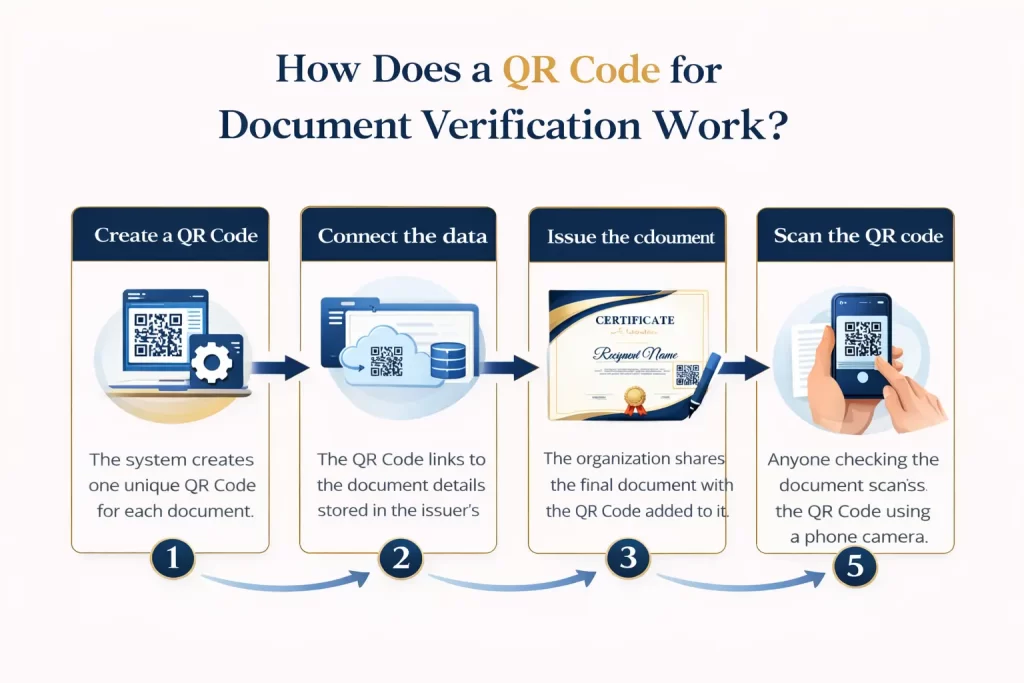
The document verification process has five simple steps that work for any business:
-
Create a QR Code
The system creates one unique QR Code for each document. -
Connect the data
The QR Code links to the document details stored in the issuer’s system. -
Issue the document
The organization shares the final document with the QR Code added to it. -
Scan the QR Code
Anyone checking the document scans the QR Code using a phone camera. -
Confirm it is real
The system checks the document and shows whether it is valid and up to date.
This system immediately shows if anyone tries to change the document. If the document is messed with, the check will fail, making the change instantly clear and the document invalid.
How to use QR Mark for document Verification?(Step-by-Step Guide)
Document verification should be easy and trustworthy. Organizations need a way to prove that a document is real and has not changed.
QR Mark helps by adding verification to the document. Instead of emails or manual checks, people scan a QR Code to verify it. The verification stays with the document wherever it goes.
Let’s understand this with an example.
We will also look at how QR Mark makes this easy in daily workflows. Organizations can add a verification QR Code directly from Google Docs or Microsoft Word.
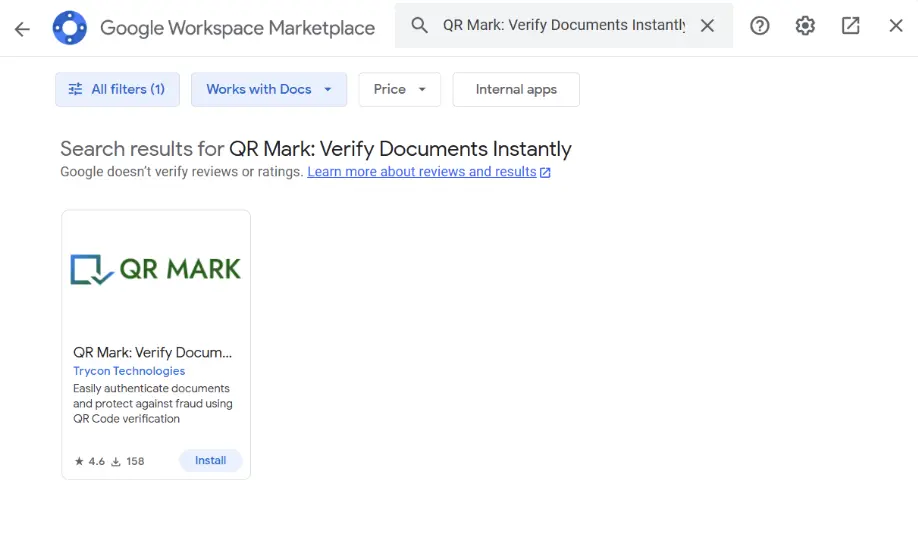
Step 1: Install the QR Mark add-on
Start by installing the QR Mark add-on.
- Go to the Google Workspace Marketplace for Google Docs, Sheets, or Slides
- Or install the Microsoft Office add-in for Word, Excel, or PowerPoint
Once installed, the add-on appears in the side panel.
Step 2: Open your document
Open the document you want to secure.
This can be:
- A certificate
- A transcript
- A letter
- A report
You create or edit the document as usual.
Step 3: Open the QR Mark add-on
Open the QR Mark add-on from the side panel.
The add-on connects your document to QR Mark.
You do not leave Google Docs or Microsoft Word. This keeps the workflow simple.
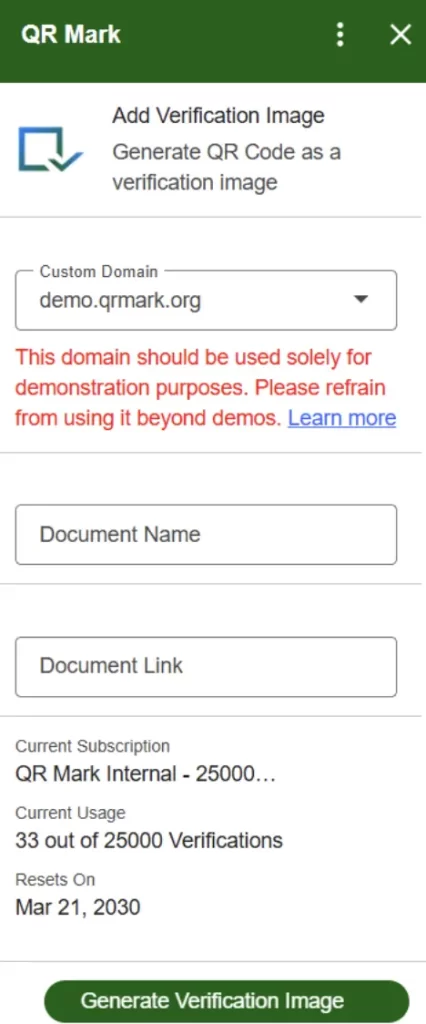
Step 4: Set your verification domain
Choose your verification domain.
You can:
- Use your custom domain (example: verify.yourschool.com)
- Or use the QR Mark demo domain
The domain matters because:
- It proves who issued the document
- It builds trust with the verifier
Fake documents cannot use your domain. This step enables proper document authentication.
Step 5: Add the verification QR Code
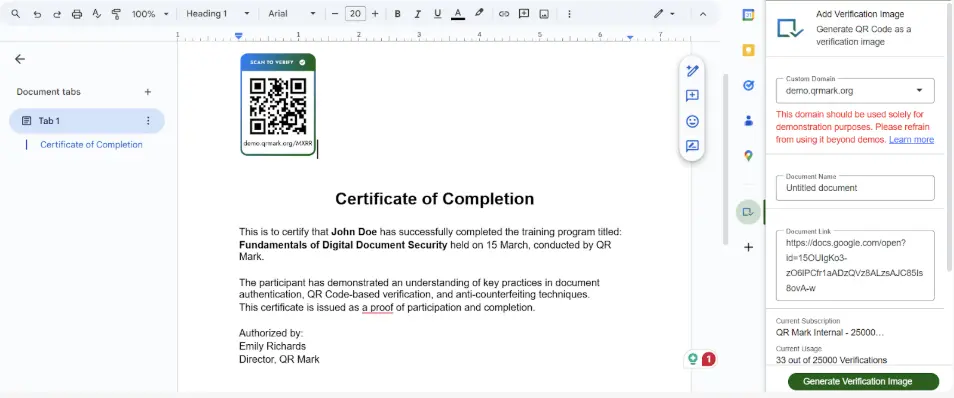
Now add the QR Code.
From the add-on:
- Enter the document details
- Click Add Verification QR Code
The QR Code appears directly on the document.
You can:
- Move it
- Resize it
- Place it anywhere
The QR Code stays linked to the document.
Step 6: Save the verified document
Save your document. The QR Code is now active and the document is secured.
Anyone who receives it can scan the QR Code and verify authenticity instantly.
A very simple method that can protect your document and also not take much of your time.
Try it now and secure your documents in no time.
Key Takeaways:
- QR Codes keep verification attached to the document wherever it is shared.
- Anyone can scan a QR Code to check who issued the document and if it was changed.
- Verification takes seconds and removes emails, calls, and manual checks.
- The process works the same for a few documents or large volumes.
- If someone alters a document, the system flags it as invalid right away.
What are the Benefits of Using QR Codes for document verification?
QR Codes make document verification more reliable and easier to manage. They help organizations prove that documents are real without adding extra manual steps.
More trust and clarity
QR Codes remove doubt when checking documents. People do not have to guess or trust what they see. They can check the document from the organization that issued it. This is very important for academic certificates, legal papers, and compliance records. In these cases, trust matters the most.
Easy to use in many industries
QR-based document checking works in many industries. It works for both digital and printed documents. Organizations can use it in different countries and languages. QR Codes also work with existing systems, so teams do not need to change how they already work.
Less risk of fake documents
Fake documents often win because checking them takes too much time and effort. With QR Codes, anyone can scan and check a document.
Simple for users
QR Code verification is easy for everyone. Users do not need accounts, training, or special tools. They scan the QR Code, check the document, and trust the result. This makes it easy to use, especially in areas with strict rules and compliance needs.
Key Takeaways:
- QR Codes help prove that documents are real without extra manual work.
- They remove doubt by letting people verify documents from the issuing organization.
- QR Codes work for digital and printed documents across many industries and regions.
- They make it easy to spot fake or altered documents.
- Anyone can verify a document by scanning the QR Code, with no accounts or training.
Who can use QR code for document verification?
Any entity that gives out important documents can use QR codes. If someone needs to check whether a document is real, QR codes make it easy.
Here are some examples:
Schools and universities
Schools give students certificates, mark sheets, and degrees. They share these with employers or other schools. Using a QR code will allow anyone to check the document without contacting the school.
HR teams and employers
HR teams check the most important documents when hiring. To save time and effort QR codes can help HR teams verify documents faster and avoid hiring mistakes.
Legal teams and lawyers
Legal teams work with contracts and legal papers. Even a small change can cause problems. QR codes help confirm that documents are real and authentic.
Course and Certification Organizations
These groups give training certificates, licenses, and inspection reports. QR codes help others check that these documents are valid.
Key Takeaways:
- Any organization that issues important documents can use QR Codes.
- QR Codes make it easy to check whether a document is real.
- Schools and universities can verify certificates and degrees without manual checks.
- HR teams can verify hiring documents faster and reduce mistakes.
- Legal and certification groups can confirm documents and spot changes quickly.
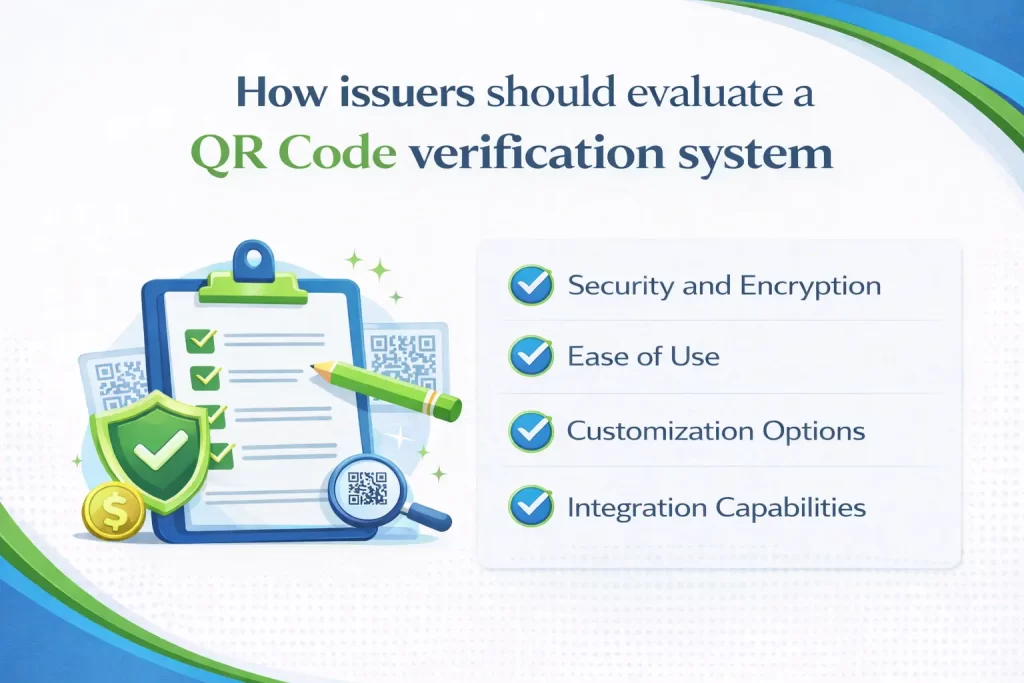
How issuers should evaluate a QR Code verification system(A simple checklist for issuers)
If you issue documents that others must trust, your verification system should make checks easy for recipients and manageable for your team. Use this checklist to see if the system works in real situations.
1. Can people verify my documents easily?
People should not need accounts, logins, or training. They should scan the QR Code and see if the document is valid. If verification feels hard, people will not use it.
2. Does the system connect to my records?
The system should connect to your database. This lets you update document status, revoke documents, or make changes. Without this, teams must check documents by hand.
3. Does verification save time and effort?
Verification should take only a few seconds. Teams should not rely on emails or phone calls. Quick checks save time, lower costs, and support decisions.
4. Does the system protect my data?
The system should protect verification data with encryption. It should confirm authenticity without showing sensitive records. This supports data protection and compliance needs.
5. Can people verify documents after sharing?
Documents should stay verifiable after you issue them. Verification should work across teams, systems, and countries. Recipients should not contact the issuer to confirm authenticity.
6. Can I see and manage verification activity?
You should see when people verify documents. The system should show document status and verification history. This helps teams stay in control.
7. Does the system help prevent fraud?
The system should show if a document is changed, expired, or invalid. Clear results help teams spot misuse protecting trust and reputation.
Key Takeaway:
- A good QR Code verification system must be easy for anyone to use without logins or training.
- It should connect to your records so you can update, revoke, or manage documents.
- Verification should save time by removing emails, calls, and manual checks.
- The system must protect data and meet compliance needs.
- Documents should stay verifiable after sharing, across systems and regions.
- Issuers should be able to track verification activity and document status.
- Clear results should help detect changes, prevent fraud, and protect trust.
Conclusion
Document security today goes beyond controlling access. Once a document is shared, traditional methods like passwords, PDFs, and signatures often fail to prove trust. This creates delays, manual checks, and higher risk of fraud across education, HR, healthcare, legal, and compliance workflows.
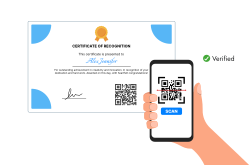
A QR Code for document verification solves this by keeping verification attached to the document itself. Recipients can instantly confirm authenticity and detect tampering without emails or logins. By using QR-based document authentication tools like QR Mark, organizations can scale verification, reduce fraud, and ensure trust travels with every document.
FAQs
How can you tell if a document is fake?
You can verify a document by checking who issued it and whether the content has changed. QR-based verification enables instant confirmation by scanning the document, without emails or manual checks.
Are QR Codes secure for document verification?
QR Codes themselves store minimal data. Security comes from the verification system behind them, which confirms authenticity against issuer records.
How do organizations verify certificates at scale?
Organizations use digital verification systems that link certificates to centralized databases, allowing instant validation through QR scanning.
Can QR codes work offline?
A QR Code can still be scanned without internet access, and some systems allow basic offline checks using stored data. However, full verification such as confirming who issued the document, checking its current status, or detecting changes usually requires an internet connection to reach the issuer’s verification system.
