


TL;DR
Making a warranty certificate is easy. Issuing one that a customer or retailer can verify in seconds is the real work. This guide shows what a warranty certificate should include, why paper certificates cause problems for your team and your buyers, and how to make a warranty certificate in bulk that anyone can check on your own domain, with QR Mark.
Making a warranty certificate is easy. Issuing one anyone can verify instantly is the real challenge.
If you run warranty or after-sales operations at a manufacturer or consumer brand, the certificate is not the hard part. The hard part is everything around it: entering data for every unit, keeping records straight, answering “is this still covered?” calls, and stopping people from faking a certificate to claim a free repair.
This guide covers what goes on a warranty certificate, the problems that come with making them by hand, and how to issue warranty certificates in bulk with QR Mark that customers and retailers can verify on their own.
Why is making warranty certificates so hard?
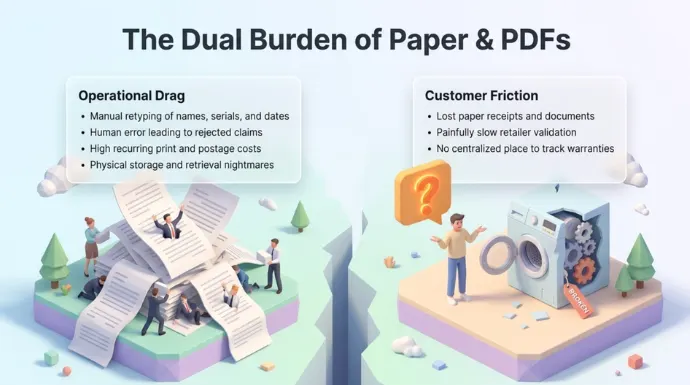
Making warranty certificates creates two kinds of problems: operational drag on your team, and weak trust for the customer who holds the certificate.
Administrative and operational
- Manual data entry. Staff retype customer names, serial numbers, and purchase dates by hand for every unit.
- Human error. A typo in a serial number or a date leads to a rejected claim and a frustrated buyer.
- High printing costs. Paper certificates, folders, and postage are a steady, recurring spend.
- Storage issues. Physical filing takes up office space and makes old records hard to find.
Customer experience and verification
- Lost documents. Customers misplace a paper receipt or certificate long before anything breaks down.
- Slow claim validation. Retailers take too long to confirm whether a product is still under warranty.
- Fraud risks. Fake or altered paper certificates are hard to catch, so false claims get through.
- Poor tracking. Buyers have no easy way to see all their product warranties in one place.
None of these are design problems. They are issuance and verification problems, and that is where a certificate generator should help.
What information should a warranty certificate include?
A warranty certificate should include the product details, the coverage terms, who issued it, and a unique certificate ID that ties it back to your records.
Most warranty certificates carry these fields:
- Product name and model
- Serial number or batch number
- Purchase or issue date
- Coverage period and expiry date
- What the warranty covers, and what it does not
- Customer name
- Your brand name and logo
- A unique certificate ID
This is also the warranty certificate format most retailers and service centers expect to see, so keep the layout clean and the fields easy to read.
With QR Mark, these same fields become the verification record. You choose which ones appear on the verification page. A Template-based verification page can show the product, coverage period, and status, while keeping customer details private.
How to make a warranty certificate with QR Mark
You can do this in QR Mark in four steps, from template to a certificate the buyer can verify.
- Build your certificate once in the template designer, or upload your existing design as the background. Map the warranty fields you want on it: product, serial number, purchase date, coverage period, and customer name.
- Download the sample CSV, fill it with your unit or customer list, and upload it as CSV, XLS, or XLSX. You can also type rows straight into the in-app grid. Choose single or bulk based on how many certificates you are issuing.
Note: make sure the columns in your file match the field names you set while designing the certificate.
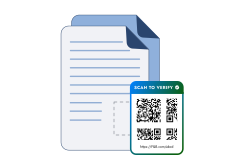
- Generate. QR Mark creates one individual PDF per unit, each with its own unique certificate ID and Verification Image (a QR code plus a short verification link).
- Download the batch as a ZIP or a merged PDF, or send certificates out by email.
Place the design once, and the size of the batch stops mattering. Whether you issue 10 certificates or 10,000, each one gets its own record.
Conclusion
Making a warranty certificate should not end when you click Generate. The value comes from every certificate being easy to issue in bulk and quick for anyone to verify, even years later when a claim lands.
A good warranty certificate generator lets you design certificates your way, issue them one at a time or in bulk, keep a record of everything you sent out, and let customers and retailers confirm a certificate without calling you.
QR Mark’s Certificate Generator brings those together in one flow. Every certificate gets its own verification record, so a buyer can prove coverage in one scan and your team spends less time answering “is this still under warranty?”
Bring your existing certificate design and a sample list, and we will generate a verifiable warranty batch on your own domain.
Frequently asked questions
What is the difference between a warranty certificate and a warranty card?
A warranty certificate is a full document that states the product, coverage period, and terms, while a warranty card is usually a short slip used for registration. Both can carry a QR code, but the certificate is the one buyers and retailers check when a claim comes up.
What format should a warranty certificate be in?
Most businesses issue warranty certificates as a PDF, since it prints cleanly and is easy to email. The format should include the product, serial number, purchase date, coverage period, issuer, and a unique certificate ID so it can be verified later.
Is a warranty certificate legally required?
It depends on your product and region, and consumer law often requires you to honor stated warranty terms even without a certificate. A written certificate still helps by making coverage clear and by giving the buyer proof of the product and dates.
How can a customer verify a warranty certificate?
The customer scans the QR code on the certificate with any phone camera, with no app. It opens a verification page on the brand’s own domain that shows the product and coverage details. If the domain is wrong or the details do not match, it is a red flag.
Can a warranty certificate be faked?
A plain paper or PDF certificate can be altered in minutes, since dates and serial numbers are easy to change. A verifiable certificate fails the moment the details do not match the issuer’s record, so fakes get caught quickly.
Should every warranty certificate have a unique certificate ID?
Yes. A unique certificate ID makes each certificate easy to retrieve, verify, and audit later. When you issue a warranty certificate with QR Mark, each one gets a unique ID and its own Verification Image automatically.
