Certificate QR Codes
Using QR Mark's certificate generator feature, you can not only design certificates but also make them secure using a unique verification QR Code. This instantly proves the authenticity of each certificate with a single scan.
The hidden cost of issuing certificates the old way


A single batch of manually generated certificates

Direct operational drain
Hours lost to fragmented tools for designing, personalizing, and managing certificates.

Reputation on the line
One forged certificate creates doubt about every certificate you've ever issued.

Hidden verification burden
It is impossible to carry out all certificate verification requests manually.

Compliance blind spot
Digitally verifiable credentials are becoming the expected norm for certificates.
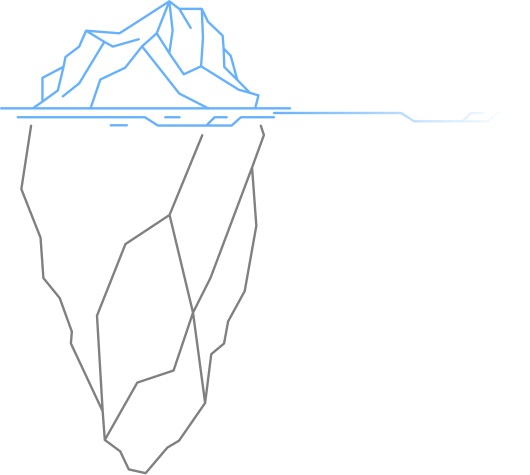
What people notice
The obvious. The visible.
What business lose
The hidden impact. The real cost.
A single batch of manually generated certificates
Direct operational drain
Hours lost to fragmented tools for designing, personalizing, and managing certificates.
Reputation on the line
One forged certificate creates doubt about every certificate you've ever issued.
Hidden verification burden
It is impossible to carry out all certificate verification requests manually.
Compliance blind spot
Digitally verifiable credentials are becoming the expected norm for certificates.
What is QR Code certificate verification?
A certificate generator with QR Code verification allows organizations to design certificate templates, issue personalized certificates in bulk from spreadsheet data, and embed a unique verification QR Code on every certificate at the time of generation.
When an employer, institution, or any third party scans the QR Code, they are taken to an organization-hosted verification page that displays the certificate details like the issuer name, recipient name, course, issue date, and certificate ID, confirming its authenticity instantly.
Unlike static PDF certificates produced through Word and MailMerge workflows, QR Mark certificates carry a permanent, scannable proof of authenticity that travels with the document. QR Mark's certificate generator combines certificate creation with built-in verification infrastructure so every credential you issue is both easy to generate and instantly verifiable.
How does QR Mark's certificate generator work?
Create a program and design your certificate template
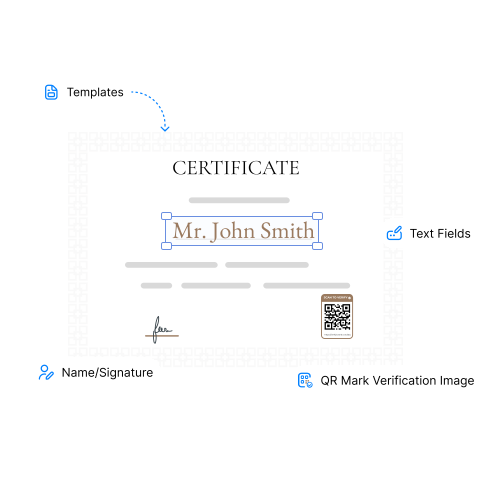
Set up a program first: the course, training, or event the certificate belongs to. Then design your certificate by clicking on 'Templates'. Add text fields, frames, logos, signatures, and the QR Mark verification image, and the attributes you need (name, date, course, etc.). Save the template once it's ready.
Choose your template and issuance mode
Go to the Certificates section, click on 'Create Certificates', and select the template you designed. Now choose how you want to issue the certificates: a single certificate or a bulk batch.
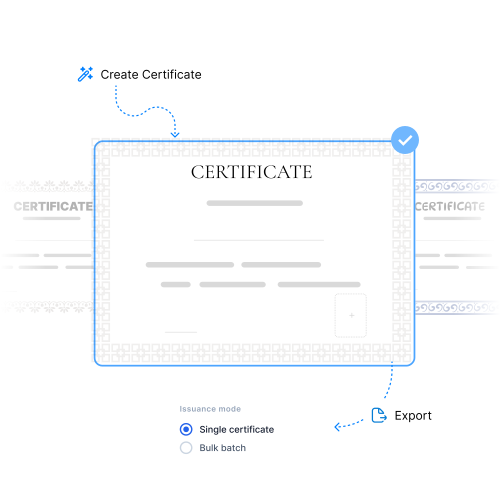
Add recipient and program details, then generate
For bulk issuance, upload a CSV with your recipient list and link it to an existing program, or create a new program on the spot. Enter the certificate name, your domain, and certificate details, then generate. Each certificate is created with a unique verification QR Code. Once ready, you can download it immediately.
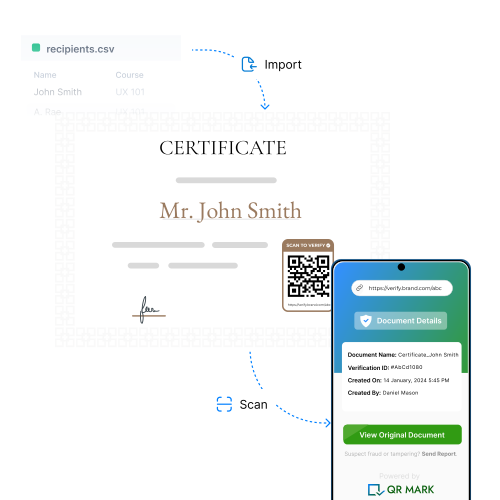
Manage all certificates and programs at one place
Keep a track of all certificates generated under every program through QR Mark's smart dashboard. Search for them, transfer certificates from one program to the other, or modify the details as per your needs.
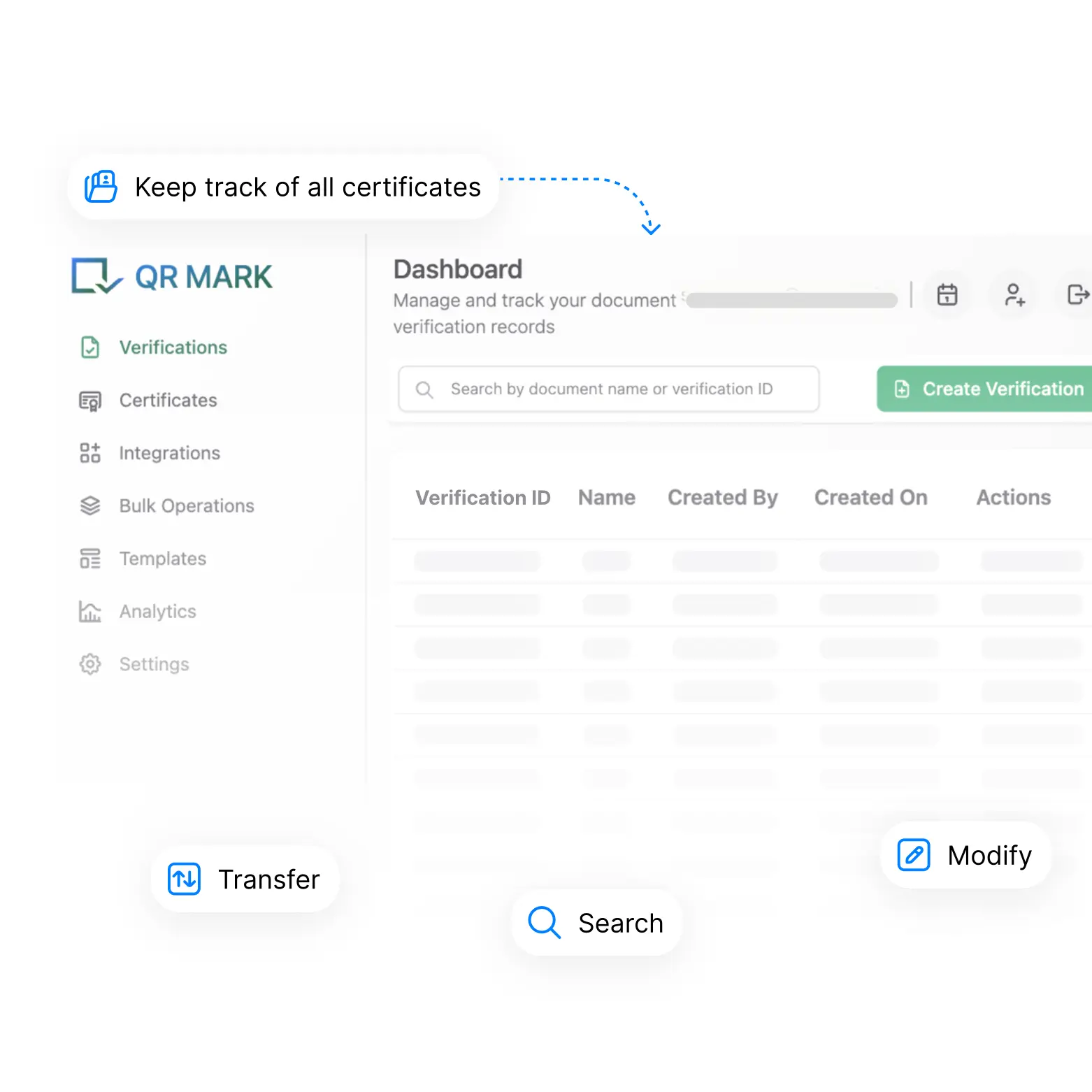
Why fragmented tools and most online certificate makers don't scale
The workflow with fragmented tools or most automatic certificate generators works only when you have to generate a few certificates. When volumes grow, batches repeat, or you have to bulk-generate certificates, the entire process breaks down.
How QR Mark's certificate generator helps
QR Mark gives you complete control over issuing certificates — template design, bulk generation from spreadsheets, and a hosted verification page on every certificate without any extra tools, steps, or overhead.
Programs to organize each and every certificate
Set up a program for each course, training, or event before issuing certificates. Programs keep your batches organized and let you link new certificates to existing programs instead of starting from scratch each time. You can also transfer certificates from one program to the other.
Make all templates without any design software
Design your certificate by clicking on 'Templates'. You can add or upload text fields, custom frames, logos, signatures, and the QR Mark verification image, then add attributes like name, date, course, and more. Save the template once and reuse it across every batch. QR Mark lets you create landing page templates and frame templates too.
Issue certificates in bulk from one workflow to save time
Choose to issue a single certificate, or generate an entire batch at once using the same template and the same verification setup. Upload a CSV file with your recipients' list and bulk generate certificates for each one of them with a unique certificate ID and verification image. Once generated in bulk, you can download them as a ZIP file for later use.
Hosted verification page for every certificate issued
When someone scans the QR Code, they land on a hosted verification page showing the recipient's name, date of certificate creation, verification ID, etc. The page is accessible to anyone who scans to verify and the certificate can be hosted on your custom domain.
A unified dashboard to keep track of all records
You can store, search for, and manage all programs and certificates within each program from QR Mark's smart dashboard. Certificates can also easily be transferred from one program to the other without having to build another certificate from scratch.
Who uses QR Mark's online certificate maker and for what?
QR Mark's certificate generator is used wherever certificates are issued at volume and verifiability matters. Here is how organizations across multiple segments are already using it.
Legal and Real Estate
Legal and Real Estate
For continuing education and license renewal certificates of professionals
Government and Regulators
For training compliance and public sector skill certification programs
Financial Institutions
For employee compliance training and regulatory certification programs
Healthcare
For continuing medical education (CME) and clinical training certificates
CPG and Manufacturing
For safety training, quality compliance, and skill certification programs
HR and Corporate Operations
For internal training completion and certification programs
Built on a trust model that actually works
ISO 27001 and SOC 2 certified infrastructure
QR Mark is ISO 27001:2022, SOC 2, and GDPR certified. Verification records are stored on infrastructure that meets enterprise security expectations. Audit logs are available for compliance reviews.
What SSO does for your security posture
SSO ties QR Mark access to your organization's identity provider. When a user is offboarded from Microsoft Azure, Okta, or Google Workspace, their QR Mark session is revoked automatically.
Markers of a legitimate certificate
In a real certificate, 3 things work together: a unique certificate ID, a hosted verification page accessible by scanning QR Mark's verification image, and the fields matching the information on the certificate that allows anyone to confirm that the certificate is legit.
What QR Mark does and doesn't do
QR Mark makes certificates instantly verifiable and helps flag forgery. It does not encrypt the certificate, prevent someone from editing it, or guarantee that a verifier will always scan. Verification works when issuers embed the QR consistently and when verifiers know to look for it. QR Mark is a strong deterrent for forgery.
Fits the way you already issue documents
QR Mark adapts to your existing workflow seamlessly. Choose the integration method that best fits how your team already creates and distributes documents.
Microsoft Word Add-In
Issue verifiable documents without leaving MS Word, MS Excel, or MS PowerPoint
Google Docs Add-On
Issue verifiable documents without leaving Google Docs, Google Sheets, or Google Slides
QR Mark API Integration
Upload all documents, set placement once, and generate unique verification images for every document at once
Bulk Dashboard Upload
Upload all files, set the placement once, and generate unique verification images for every document at once
Frequently asked questions about certificate QR Code generation
Start issuing verifiable certificates today