

TL;DR
Prevent fake certified translation by adding a scannable Verification Image to every certificate, linked to a verification page hosted on your own domain. A stamp or a signature can be copied in minutes; a page served from verify.yourbureau.com cannot. This guide compares six anti-forgery methods, shows where each one fails, and walks through issuing verifiable certified translations with QR Mark so a university, court, or immigration officer can confirm authenticity in seconds.
If you run a certified or sworn translation bureau, the risk is familiar. The moment a translation leaves your office, someone can change a name or a grade and present it as your work, with your stamp lending credibility it no longer deserves.
This guide is for bureau owners and project managers deciding which method actually stops that, and how to put it in place without changing how you already deliver files.
Why are certified translations so easy to fake?
Certified translations are easy to fake because there is rarely a central registry to check the translator against, and the trust signals on the page can be reproduced in minutes with basic design software. Credential evaluators already classify doctored or misleading translations as a distinct category of document fraud
Five patterns explain why the problem persists.
No centralized verification registry
In common-law countries such as the US, UK, and Canada, there is no official government registry of certified translators. Anyone can write a Statement of Accuracy, sign it, and stamp it. A university or court cannot look up a translator’s credentials in a central database, so fabricated credentials slip through.
Identity and CV theft
Fraud rings steal the names and certification numbers of accredited linguists, such as members of the American Translators Association, run text through a cheap machine-translation tool, and paste the real translator’s credentials onto a fake certificate.
The digital-to-physical gap
A certified translation usually moves from an emailed PDF to a printed page. Digital signatures only hold while the file stays digital; they break the moment it is printed. Physical stamps and embossed seals only work on paper, and they are easy to scan, edit, and drop onto a PDF. This hybrid workflow is where names and grades get altered.
Over-reliance on visual trust signals
Many receiving institutions assume a translation is valid because it carries a detailed stamp, a colourful seal, or a signature. Those elements are the easiest part to replicate. A forger can produce a professional-looking certificate with no real accountability behind it.
Agency cost-cutting
To protect margins, some agencies skip credentialed linguists, use machine translation, and write their own certificate of accuracy, betting the receiving authority will never audit the translator’s background.
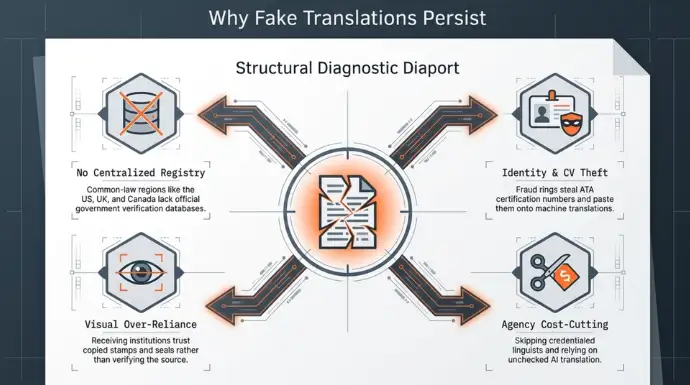
The common thread: every one of these trust signals lives on the document itself. If the proof of authenticity travels on the same page a forger controls, it can be copied. The fix is to move the proof off the page and onto infrastructure the forger does not control.
How can you prevent fake certified translations?
The reliable way to prevent forgery is to give each certified translation a verification method that lives outside the document, on infrastructure the issuer controls. Six methods are used in practice. They are not equal, and most fail at the print step.
| Method | How it works | Where it fails | Print + PDF? |
|---|---|---|---|
| Physical stamp / embossed seal | Visual mark applied to paper | Scanned and copied with design software; no traceability | Paper only |
| Ink signature | Handwritten sign-off | Easily copied or forged; proves little at scale | Paper only |
| Cryptographic digital signature (Adobe CDS, DocuSign) | Seals the PDF; later edits become visible | Breaks the moment the file is printed; verifier needs the digital file. | Digital only |
| Blockchain hash anchoring | Stores a fingerprint of the file on a ledger | Needs a matching digital file and a technical verifier; useless for a printed page | Digital only |
| National sworn-translator registry | Verifier looks the translator up in a public database | Exists only in some civil-law countries (Germany, Spain); no equivalent in the US, UK, or Canada | Depends on jurisdiction |
| QR + hosted verification page (QR Mark) | Scannable Verification Image links to a page on the issuer’s own domain | Depends on the verifier scanning and matching fields | Print and PDF |
How does QR Mark prevent fake certified translations?
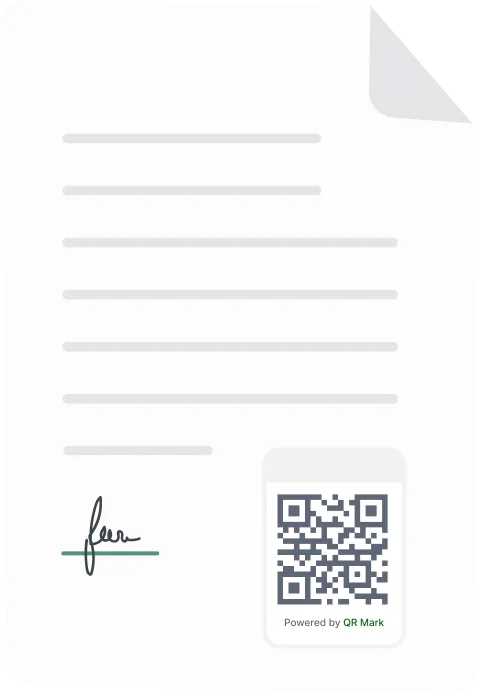
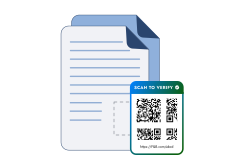
QR Mark is a verification layer to your certificate of translation Accuracy. It adds a Verification Image, a combined QR code and verification URL, to each certificate, so anyone receiving the translation can confirm it came from you and that the details match. The loop is Embed, Scan, Verify.
Two things make a certificate hard to fake, if you use QR Mark.
Custom Domain
Your verification pages are served from your own domain, for example verify.yourbureau.com. Anyone can generate a QR code. What they cannot do is make it resolve on your verified domain. Domain matching is the trust anchor a receiving institution checks first.
Template-based verification page
You choose which fields the verifier sees: translator name, ATA or sworn-translator ID, source and target language, document ID, and issue date. The verifier compares the page against the paper in hand. If a forger alters the printed grade or the name, it no longer matches the page you host, and the tampering becomes evident. You can show these fields without exposing the full translation, which keeps confidential documents confidential.
Because the proof lives on your domain and not on the page, copying the stamp or the Verification Image onto a fake document does not help a forger. The details on your verification page will not match the altered document.
How to add verification to a certified translation with QR Mark (step by step)
Here is the workflow a bureau uses to issue a verifiable certified translation.
- Login and create your account.
-
Set up your Custom Domain
Point verification to your own subdomain, for example verify.yourbureau.com, so pages resolve on infrastructure you own. -
Choose the template fields
Select the fields a verifier should check: translator name, certification or sworn-translator ID, language pair, document ID, and date of issue. Use a template-based page so the original translation is not exposed. -
Create the verification record
In QR Mark, create a verification for the finished translation. Fill in the information and select your custom domain. -
Embed the Verification Image
Add the Verification Image to the certificate. Use the Microsoft Word Add-in if you certify inside Word, or the Upload (PDF) workflow if you finalise as a PDF. For high-volume or end-of-term runs, use Bulk Verification to set placement once and generate a unique Verification Image per document. -
Deliver as usual
Send or print the certificate. The Verification Image works whether the document is a PDF or a printout.
What should a receiving institution check to verify a certified translation?
A verifier confirms a certified translation in three checks. Train clients and receiving institutions to run these every time.
- Check the domain. Does the verification page load on the issuer’s real domain, for example verify.yourbureau.com, and not a lookalike?
- Match the fields. Do the translator name, ID, language pair, document ID, and date on the page match the document in hand?
- Confirm the status. Is the verification active and valid?
If anything does not match, treat the document as suspect. This habit is what makes the system work: a Verification Image is only as strong as the practice of scanning it.
FAQ
How do you verify a certified translation?
Scan the Verification Image or open the verification URL, confirm the page loads on the issuer’s own domain, and check that the translator name, ID, language pair, and document ID match the document in front of you. If the certificate carries no verification method, contact the issuing bureau directly.
Is a QR code enough to stop translation fraud?
A bare QR code is not. What matters is where it resolves. A Verification Image that opens a page on the issuer’s own domain, showing fields the verifier can match, is what deters forgery. A QR code that points to a generic link is easy to fake.
Does this work for USCIS or court submissions?
Yes. A printed certificate with a Verification Image can be scanned by the receiving officer, and the verification page confirms the details.
What if someone copies the QR code onto a fake translation?
Copying the image does not help. The verification page still shows the original translator, ID, and document details. When those do not match the forged document, the tampering is evident.
Is blockchain better than a QR verification page for translations?
For most certified translations, no. Blockchain anchoring needs a matching digital file and a technical verifier, so it fails for a printed page handed across a counter. A QR verification page on the issuer’s domain works for both print and PDF, which is the real workflow for translation certificates.
Prevent fake certified translation without changing how you work
You do not need blockchain or a national registry to protect your certificates. You need proof of authenticity that lives off the page, on a domain you control, that a verifier can check in seconds. That is what QR Mark’s Verification Image, Custom Domain, and template-based verification page provide, across both printed and digital certificates.
