

TL;DR
Issuing CME certificates by hand creates seven recurring problems, from slow bulk creation to boards emailing to check whether a certificate is real. Handing out a CME certificate online does not fix any of it on its own. A certificate generator with built-in verification does most of the work. It builds every CME certificate from your participant list, keeps the accredited-provider wording consistent, and adds a QR Code so anyone can confirm the certificate on your own domain. Here are the top 3 problems, with how QR Mark handles each.
A Continuing Medical Education (CME) certificate is proof that a healthcare professional has completed a CME activity and earned the required educational credits.
Physicians and other medical professionals use these certificates to maintain their licenses, renew certifications, and demonstrate ongoing professional development.
For CME providers, issuing these certificates is an important part of every educational program. But as the number of participants grows, so does the work involved.
Creating certificates one by one, correcting mistakes, responding to verification requests, and preventing certificate fraud can quickly become a repetitive and time-consuming process.
Fortunately, it doesn’t have to be.
In this article, we’ll walk through the three biggest challenges CME providers face when issuing certificates and show you how to solve them using QR Mark’s certificate generator.
How Can I Generate CME Certificates in Bulk Without Manual Work?
Creating CME certificates one by one is manageable for a small event, but as participant numbers grow, the administrative work quickly adds up.
Copying templates, entering names manually, checking credit hours, assigning certificate IDs, and exporting PDFs can take hours for every program.
Manual processes also increase the chances of spelling mistakes, incorrect credit hours, duplicate certificates, or missing participant records.
The most efficient way to solve this is by automating certificate generation.
With a certificate generation platform like QR Mark, you create your certificate template just once. You can upload your existing certificate design or build one from scratch, then place dynamic fields wherever personalized information should appear.
These dynamic fields automatically populate information such as:
- Participant name
- CME activity title
- Credit hours earned
- Completion date
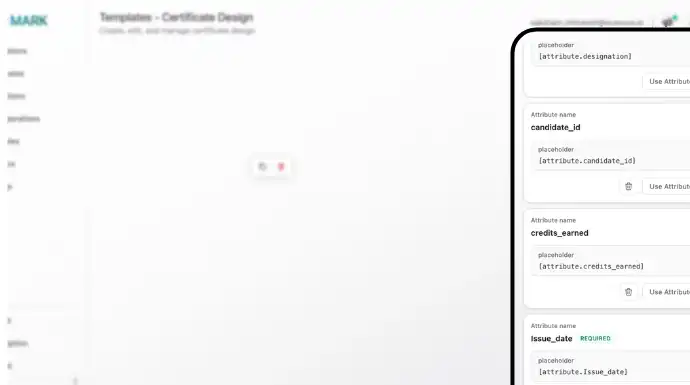
Here is how it works in QR Mark’s Certificate Generator:
- Build your certificate once in the template designer, or upload your existing design as the background. Map the fields you want to include in your certificate.
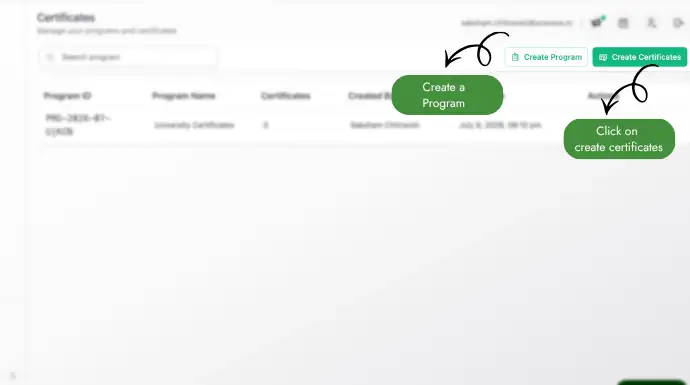
2. Download the sample CSV, fill it with your roster, and upload it as CSV, XLS, or XLSX. You can also type rows straight into the in-app grid. You can choose bulk or single upload based on your requirements.
Note: Make sure the fields you have in your CSC/XLS/XLSX file are mapped according to your attributes mentioned while designing your certificate. For reference see the image before we started the steps.
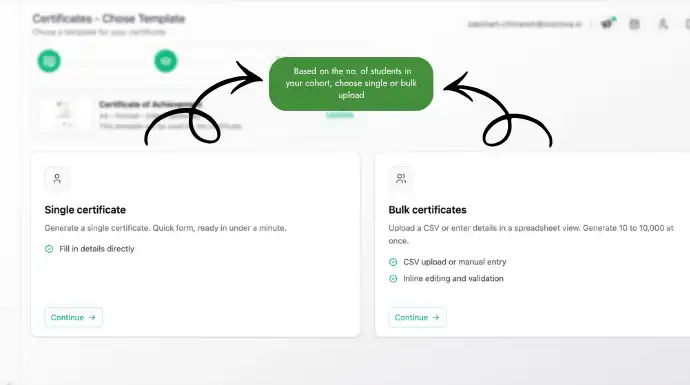
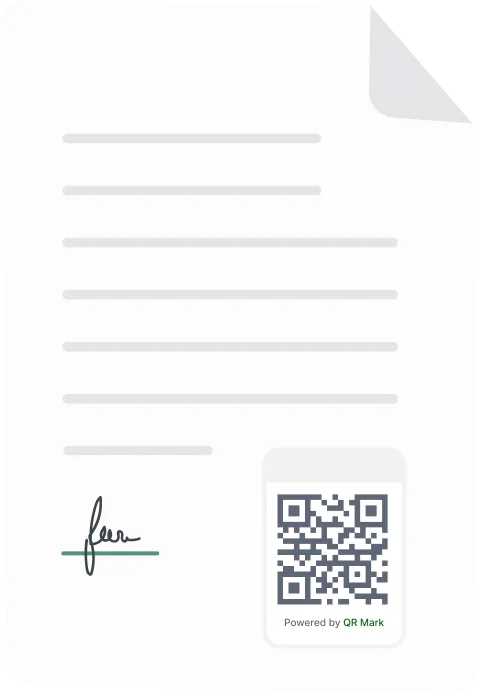
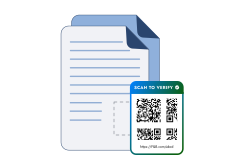
3. Generate. QR Mark creates one individual PDF per participant. When you use a tool like QR Mark to generate a certificate, a QR Code is automatically generated on the certificate that anyone can scan and verify the authenticity of the cme certificate.
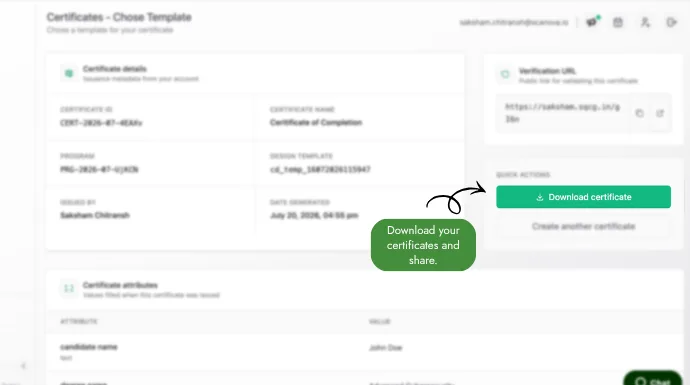
4. Download the batch as a ZIP or a merged PDF, or send it out by email.
How Can I Protect My CME Certificates From Tampering?
A CME certificate can be edited in minutes using readily available PDF editing tools. Someone can change the participant’s name, inflate the credit hours, or alter other details while still displaying your organization’s logo.
The best way to protect against this isn’t by trying to make the PDF impossible to edit, it’s by making any edits immediately detectable.
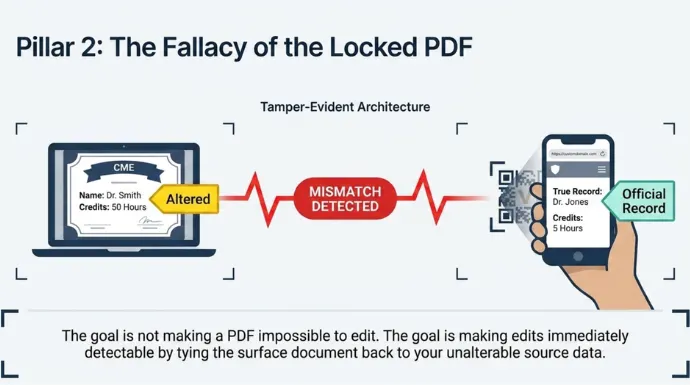
One way to do this is by adding a QR code that links to a verification page hosted on your organization’s domain.
When a licensing board, employer, or credential reviewer scans the QR code, they can compare the certificate in front of them with the official record on your website. If the name, credit hours, issue date, or any other details don’t match, the certificate has been altered.
This is exactly how QR Mark works. Every certificate includes a unique verification image tied to an official verification page hosted on your custom domain. Even if someone copies the QR code onto another certificate or edits the PDF, they cannot recreate the verification page on your domain or make the altered details match your official records.
Just as importantly, educate your learners and certificate verifiers about how verification works. Add a short note at the bottom of every certificate, such as:
Verification Notice: Scan the QR code to verify this certificate. The verification page should open on yourorganization.com. If the page is hosted on another domain or the certificate details do not match the verification page, the certificate should be considered invalid. When you use QR Mark to design the certificate, you can mention this information.
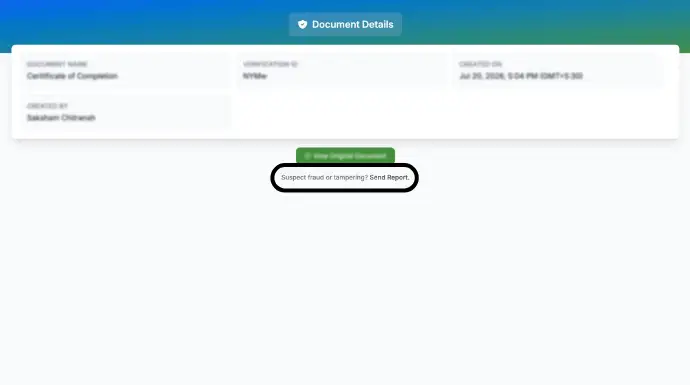
Even after this, your document is compromised and the verifier spots it. What they can do is, from the verification, they can report fraud. This lets you know that the document has been compromised and from there on you can take necessary action to protect your credibility as a trusted CME course provider.
How Can I Reduce Manual CME Certificate Verification Requests?
Issuing a CME certificate isn’t the end of the administrative work. Weeks, months, or even years later, licensing boards, employers, hospitals, and credentialing organizations may need to verify whether a certificate is genuine.
Without a verification system, every request becomes a manual task. Your staff has to search spreadsheets or participant databases, locate the original certificate record, compare it with the submitted document, and then respond by email or phone.
As the number of CME activities grows, these verification requests can become a significant administrative burden.
A better approach is to let verifiers confirm certificate authenticity themselves.
Every certificate generated with QR Mark includes a unique verification QR Code that links to a secure verification page hosted on your organization’s domain.
This self-service verification process significantly reduces routine verification emails and phone calls while giving employers, licensing boards, and credentialing organizations immediate confidence in the certificate’s authenticity.
Instead of spending staff time responding to repetitive verification requests, your team can focus on delivering educational programs while certificate verification happens automatically, around the clock.
Conclusion
A modern CME certificate generator solves these challenges by automating certificate creation, reducing manual effort, and making every certificate independently verifiable. Instead of relying on email chains or manual record checks, licensing boards and employers can confirm a certificate’s authenticity in seconds through a secure verification page hosted on your organization’s domain.
If you’re looking for a better way to issue verifiable CME certificates online, see how QR Mark can streamline your certificate workflow from generation to verification.
Bring your existing certificate design and a sample participant roster, and we’ll show you how to create a secure, verifiable batch in just a few minutes.
Common Questions About Generating Verifiable CME Certificates
1. How long should CME providers retain certificate records?
Most accreditation bodies recommend retaining CME records for several years, though the exact duration depends on your accreditor and local regulations. Keeping digital records makes it easier to respond to future verification requests.
2. Can I reissue a CME certificate if a learner loses it?
Yes. If you maintain digital records, you can regenerate or resend the certificate without creating duplicate records or changing the participant’s completion history.
3. What information should every CME certificate include?
A CME certificate should typically include the participant’s name, activity title, credit hours earned, completion date, provider name, accreditation statement (where applicable), and a unique certificate identifier.
4. Are digital CME certificates accepted by licensing boards?
Many licensing boards and employers accept digital CME certificates, provided they can verify the certificate’s authenticity and required accreditation information.
5. Can certificate verification help reduce manual verification requests?
Yes. Instead of responding to emails or phone calls asking whether a certificate is genuine, verifiers can confirm authenticity themselves by scanning the verification QR code. With QR Mark, you can do exactly the same.
