Document Verification Integration
Add QR Mark document verification plugin to every document you already create inside Microsoft 365 (Word, Excel, PowerPoint), Google Workspace (Docs, Sheets, Slides), or your own system programmatically using API without changing your workflow.
The hidden cost of fragmented workflows

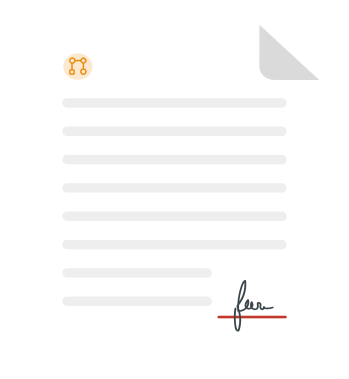

A document issued without workflow-level verification

Direct trust damage
Decisions made on documents that cannot be independently verified.

Reputation on the line
Your brand replicated using the same tools you rely on.

Hidden productivity drain
Verification requests stacking up across teams and channels.

Tomorrow's compliance, today's gap
Documents issued today fail tomorrow's verification expectations.

What people notice
The obvious. The visible.
What business lose
The hidden impact. The real cost.
A document issued without workflow-level verification
Direct trust damage
Decisions made on documents that cannot be independently verified.
Reputation on the line
Your brand replicated using the same tools you rely on.
Hidden productivity drain
Verification requests stacking up across teams and channels.
Tomorrow's compliance, today's gap
Documents issued today fail tomorrow's verification expectations.
What is a document verification plugin?
A document verification plugin, also called a document verification integration or add-in, connects your document creation tool directly to a verification system. It lets you embed a scannable QR Code and verification URL into every document at the moment of creation, without leaving the app you are already using.
QR Mark's plugin can be integrated directly into Microsoft 365, Google Workspace, and the system via API for teams that generate documents programmatically. The verifier scans with a smartphone and lands on a verification page hosted on your own domain, confirming the document's originality.
Every document your team creates in Word, Google Docs, or an internal system becomes vulnerable to forgery the moment it leaves your workflow without built-in verification. The same tools and processes you trust to create real documents are being used to replicate them. What looks like a workflow gap is actually 4 layers of compounding risk.
How to set up Document Verification Integration?
Google Workspace Document Verification Add-On
Works in Google Docs, Sheets & Slides
Phase 1 — Installation
- Open your document in Google Docs.
- Navigate to "Extensions" → "Add-ons" → "Get add-ons".
- Search for "QR Mark" and install the add-on from the Google Workspace Marketplace.
- Sign in with your QR Mark account and grant the necessary permissions. The add-on will integrate with Google Docs, Sheets, and Slides.
Phase 2 — Configuration and generation
- Open the QR Mark add-on from the sidebar.
- Ensure your custom domain is configured so verification links are branded and trusted. If not configured, a demo domain will be used.
- Edit the document name as needed, then copy and paste your document link into the add-on.
- Click "Generate Verification Image"
Phase 3 — Finalizing the document
- Adjust the size of the QR Code and place it in your document.
- Save the document.
- Click "Share" in Google Docs and set access to "Anyone with the link." Recipients can now scan the QR Code and verify the document's authenticity from the verification page.
Why issuing documents without a verification integration doesn't scale
Unintegrated verification practices cannot keep up with a world where documents leave workflows instantly, are distributed across channels in seconds, and face constant exposure to sophisticated fraud.
How QR Mark's Document Verification Integration helps
QR Mark's integration layer sits inside the tools your team already uses to create documents. Every capability below is available from the moment you install the add-in, without a separate platform to manage or a parallel workflow to maintain.
Native Google Workspace and Microsoft 365 Document Verification
Install the QR Mark add-in from Microsoft AppSource, and it appears as a sidebar panel inside Word, Excel, and PowerPoint. Install from the Google Workspace Marketplace, and it works similarly inside Google Docs, Sheets, and Slides. It provides verification generated inside the authoring environment your team already uses.
API integration: Automate verification at scale from any system
For documents generated by an HRIS, CRM, ERP, or internal automation platform, QR Mark's API creates and embeds verification images programmatically at the point of generation. The integration connects to your system's output, and verification scales automatically with your document volume without any manual setup.
Template-based verification pages to show only what needs to be verified
Configure exactly which fields appear on the verification page for each document type without exposing the full document. This way, the confidentiality of the entire document is maintained while specific field-level verification remains fully available to any verifier scanning through the integration.
Tamper-resistant verification page on your own domain
Every verification page generated through the integration is served on your custom domain, not QR Mark's. Domain ownership is the primary trust anchor. A counterfeiter can copy the QR Code from a genuine document, but they cannot host it on your domain as they don't control it. Custom domain setup is mandatory for production use.
Expiry and validity control integrated into your workflow
Set document validity windows at the point of generation through the add-in or API. Verification pages automatically reflect active or expired status, so verifiers can confirm not only if a document is authentic but also if it is still valid at the time of verification. The document's validity is configured during the time of issuance itself.
Bulk issuance for high-volume workflows
For end-of-term certificate runs, large HR letter cycles, or compliance batch issuance, upload your documents, set placement once, and generate unique verification images for every document in the batch. This eliminates repetition and allows work alongside or independently of the add-in for teams with mixed issuance workflows.
Custom branding on every verification page
The verification page generated through the integration carries your organization's logo, colors, and domain, not QR Mark's. This is a trust mechanism for verifiers to confirm authenticity by recognizing your branded verification page on your domain. A branded page strengthens the trust signal while a generic one weakens it.
Multi-user access with role-based permissions
Multiple users across HR, admin, compliance, and operations can issue documents through the same QR Mark integration, each with role-appropriate access controls. SSO via Microsoft Azure, Okta, and Google Workspace is supported for enterprise teams requiring centralized identity management and fast onboarding of issuing staff.
Who uses Document Verification Integrations and for what?
Every industry needs a dominant document creation tool and a primary verification layer. QR Mark's document verification integration ensures that verification is built in from the start, not stuck on later.
Legal and Real Estate
Legal and Real Estate
For contracts, agreements, and deeds drafted in Word or Google Docs, circulated among buyers, legal teams, etc.
Government and Regulators
For permits, licenses, and identity documents generated at volume through internal document management systems
Financial Institutions
For loan documents, bank statements, and insurance policies generated by core banking and insurance platforms
Healthcare
For medical records, prescriptions, and lab reports shared across hospitals, insurers, and patients
CPG and Manufacturing
For certificates of authenticity, invoices, and warranty cards issued in high volumes against product batches
HR and Corporate Operations
For offer letters, payslips, etc. created programmatically or in Word, issued to employers, BGV firms, and banks
Built on a trust model that actually works
Your domain, not ours
Verification pages appear under your custom domain, not QR Mark's. Anyone can generate a QR Code, but those won't redirect to a page on your brand's domain. Domain matching is the single most decisive trust cue for a verifier, and it is built into every QR Mark integration by default.
What if the QR Code is copied?
A copied QR Code opens the original verification record that was generated at issuance. It would show the original document's fields. If those fields don't match the document being presented, the verifier catches the mismatch immediately. The QR Code proves the record behind it, which the forger can't control.
What QR Mark does and doesn't do
QR Mark is a verification layer, not an encryption tool. It does not prevent someone from editing a document or guarantee that every counterfeit will be caught. It gives verifiers a fast, trusted, and issuer-controlled way to confirm that the document in hand matches what was actually issued, and flag it if it doesn't.
Enterprise-grade security infrastructure
QR Mark ensures all legal workflows are secure, transparent, and compliant. With enterprise-grade security and global certifications, your documents remain verifiable and tamper-resistant worldwide. QR Mark is ISO 27001:2022, SOC2, and GDPR certified.
Fits the way you already issue documents
QR Mark adapts to your existing workflow seamlessly. Choose the integration method that best fits how your team already creates documents.
Microsoft Word Add-In
Create and embed a document authentication QR Code directly in MS Word, MS Excel, and MS PowerPoint
Google Workspace Add-On
Create and embed a verification QR Code directly in Google Docs, Google Sheets, and Google Slides
Bulk Dashboard Upload
Upload multiple docs, set placement once, and generate unique codes for every document in the batch
API Integration
Programmatically create and retrieve verification records from any internal system or document automation workflow
Frequently asked questions about Document Verification add-ins
Start issuing verifiable documents from inside the tools you already use